IBM Plex Sans pairs great with IBM Plex Mono, Inter and Playfair Display. All 13 pairings are shown below in real rendered specimens, with the reason each one works.
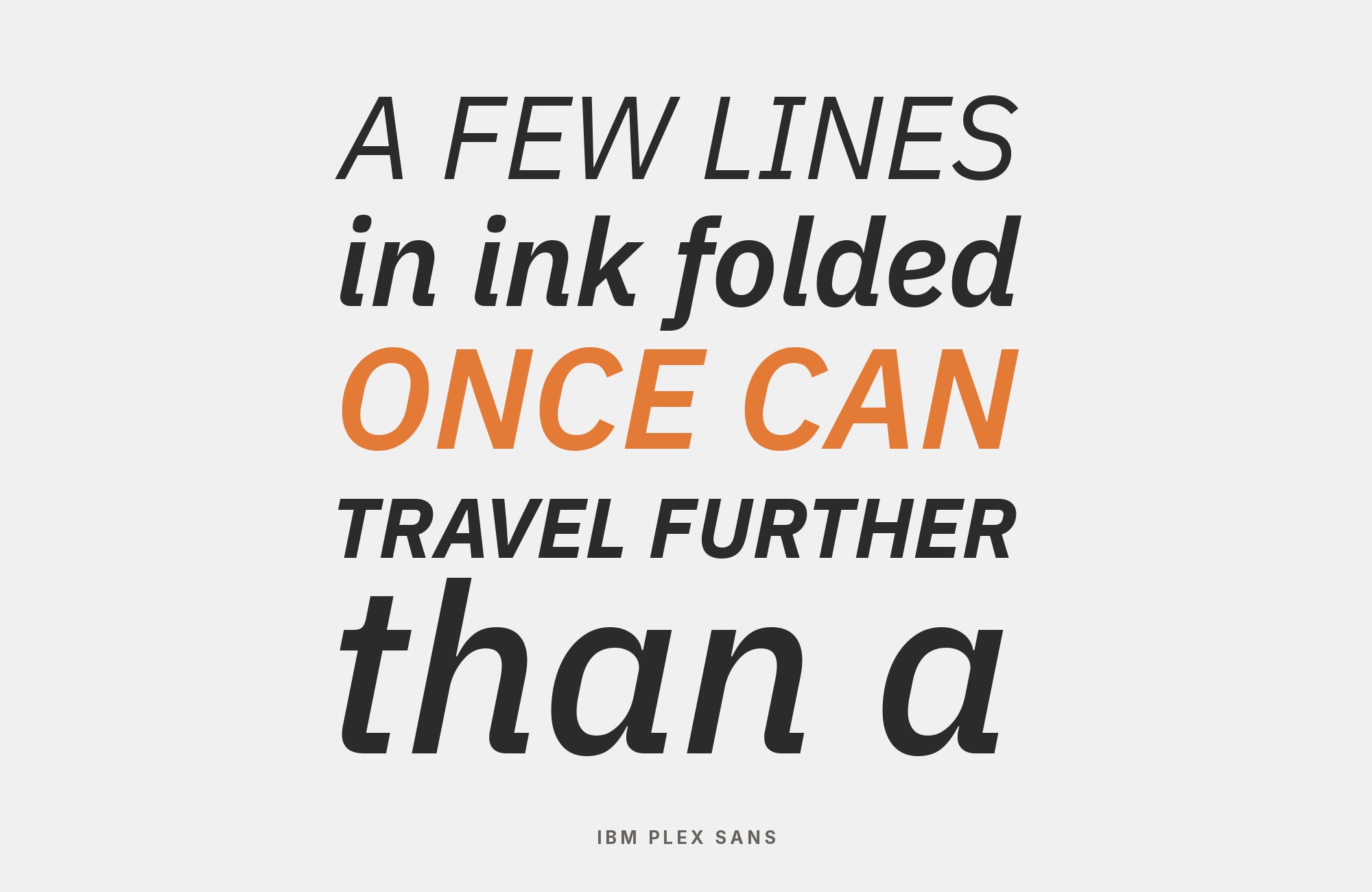
What fonts go with IBM Plex Sans? Finding the right companions for IBM’s custom typeface means understanding what makes it simultaneously corporate and humane, technical and approachable.
IBM Plex Sans represents one of the most ambitious corporate typography projects of the modern era. Released in 2017, it replaced Helvetica as IBM’s corporate typeface, bringing with it a distinctive character that balances the company’s heritage in computing with contemporary design sensibilities. The grotesque design takes inspiration from Franklin Gothic, giving it a distinctive voice without losing its composure. It remains legible on screens, while its extensive weight range from Thin to Bold provides tremendous flexibility.
The challenge with IBM Plex Sans lies in its specificity; it feels both neutral and distinctive, which means pairings need to either embrace its technical underpinnings or provide warmth as counterbalance. Serif companions should feel sophisticated without being stuffy, while alternative sans-serifs need enough personality to justify their presence alongside such a well-considered design. Here are fonts that pair well with IBM Plex Sans, selected for their ability to complement its unique dual nature.
1. IBM Plex Mono

The Plex family reunion that makes sense. IBM Plex Sans and Plex Mono belong to the same type family, creating seamless transitions between prose and code. The monospace variant brings technical credibility to code snippets, data tables, and terminal output while the sans handles everything else with corporate clarity. This pairing is essential for developer documentation, technical writing, and any interface toggling between human language and machine language. The systematic nature of both fonts creates visual order in complex information architectures.

2. Inter

Two sans-serifs designed for screens meet in a pairing that prioritizes performance over personality. Inter‘s distinctive letter shapes create just enough contrast to establish hierarchy against IBM Plex Sans’s more neutral forms. Their similar apparent scale can make transitions feel smooth. This combination suits enterprise interfaces, SaaS applications, and any digital product where readability trumps expressiveness. The extensive weight ranges in both fonts enable complex typographic systems. Lens uses IBM Plex Sans and Inter on the same site.

3. Playfair Display

Playfair Display‘s baroque extravagance meets IBM Plex Sans’s corporate rationalism in a contrast that shouldn’t work but absolutely does. The high-contrast transitional serif creates headlines that demand attention while the sans delivers body copy with businesslike efficiency. This pairing suits financial publications, luxury B2B brands, and any context where prestige and professionalism need to coexist. Use Playfair exclusively for display sizes; its hairlines require space to breathe. DockYard uses IBM Plex Sans and Playfair Display together.

“AI builds anything, so what do I sell?”
Taste is the answer. Own your stack and automate your own CMS.
Find Out How4. Libre Baskerville

Libre Baskerville‘s Baskerville-derived refinement meets IBM Plex Sans’s contemporary pragmatism in a pairing that bridges different typographic sensibilities. The transitional serif brings scholarly authority to headlines while the sans handles body copy with modern clarity. This combination excels in professional publications, legal documents, and any context requiring traditional credibility delivered through contemporary design. Both can work well in digital-first projects. SoloScale’s brand guide sets Libre Baskerville headings over IBM Plex Sans body text.

5. Oswald

Oswald‘s narrow, muscular headlines cut through layouts with newsstand urgency while IBM Plex Sans provides the measured reading experience below. The condensed sans brings the Alternate Gothic tradition into modern interfaces, creating bold hierarchy without sacrificing professionalism. This pairing works for news sites, media companies, and any context where headlines need to compete for attention in crowded environments. The weight contrast is dramatic but purposeful. The Hour uses IBM Plex Sans and Oswald on the same site.

6. Newsreader

Newsreader‘s editorial heritage meets IBM Plex Sans’s corporate efficiency in a pairing designed for serious journalism. The serif brings newspaper-inspired authority to headlines and pull quotes while the sans handles body copy with contemporary clarity. Newsreader was designed for continuous reading on screens, making it a natural partner for digital publications. The contrast between Newsreader’s traditional letterforms and Plex Sans’s systematic approach creates visual interest without conflict. Spintank uses IBM Plex Sans alongside Newsreader.

7. Work Sans

Two screen-friendly fonts meet in a pairing that prioritizes digital performance. Work Sans brings slightly more personality to headlines while IBM Plex Sans provides the systematic body copy foundation. Their open forms make a comfortable transition from headline to body text. This combination suits web applications, dashboards, and any interface where users spend extended time reading on screens. The slight stylistic differences create hierarchy without jarring transitions.

Turn your ideas into repeatable creative workflows - no code required. Create with ready-made templates and AI-powered tools in Picsart Flow.
See details8. Lato

Lato‘s rounded terminals and humanist warmth soften IBM Plex Sans’s more systematic nature in headlines and display text. The contrast isn’t dramatic but meaningful: Lato brings subtle friendliness while Plex Sans maintains corporate credibility in body copy. This pairing works for professional services, B2B platforms, and any context where warmth and professionalism need to coexist. Both can carry complex typographic hierarchies on screen.

9. Poppins

Poppins‘s perfectly circular bowls create geometric headlines that contrast productively with IBM Plex Sans’s more traditional grotesque forms in body copy. The pure geometry of Poppins establishes modern positioning while Plex Sans grounds extended reading in corporate reliability. This pairing suits tech companies, innovation studios, and any brand signaling contemporary thinking with practical communication. The similar x-heights maintain cohesion despite the stylistic contrast.

Still Googling UX terms?
Stop. They're all right here.
50 terms. Illustrated.
So simple your cat gets it.
Print & ePub on Amazon
10. Source Serif Pro

Source Serif Pro‘s moderate contrast and sturdy serifs bring traditional authority to headlines while IBM Plex Sans handles body copy with contemporary clarity. Source Serif was designed for digital environments, while Plex Sans remains legible on web and mobile interfaces. This pairing excels in professional publications, corporate communications, and any context requiring serif credibility with sans-serif readability. The contrast between styles creates natural hierarchy while shared design philosophies maintain cohesion. The TIM online textbook combines IBM Plex Sans with Source Serif.

11. Merriweather

IBM Plex Sans creates a precise headline above Merriweather‘s tall x-height and robust details in body copy. Merriweather was designed for comfortable screen reading, making it a useful partner for digital publications. This pairing suits news platforms, educational content, and long-form journalism where readers spend extended time with your text. The serif’s warmth balances the sans’s corporate coolness productively. MEI uses IBM Plex Sans for subheads and Merriweather for body copy.

12. Roboto

Two systematic sans-serifs meet in a pairing more practical than exciting. Roboto‘s widespread familiarity can establish headline hierarchy against IBM Plex Sans’s more distinctive letterforms in body copy, or vice versa. Their restrained forms can make transitions between them feel quiet. This combination suits enterprise applications, mobile products, and any context prioritizing universal readability over typographic personality. Sometimes functional wins the day. Blocknet lists IBM Plex Sans and Roboto among its brand fonts.

13. Open Sans

Open Sans‘s friendly neutrality meets IBM Plex Sans’s more structured personality in a pairing that prioritizes accessibility above all else. Open Sans has wide apertures and a large x-height that help it read clearly at small screen sizes. The slight stylistic differences create enough hierarchy without jarring transitions. This combination suits government platforms, healthcare applications, and educational content where reaching the widest audience takes precedence over making design statements. Omnipod uses IBM Plex Sans for headlines and Open Sans for body copy.

Conclusion
There are no absolute rules for font pairing, just principles to guide you. The key is contrast—in weight, in style (serif vs. sans-serif), or in personality. IBM Plex Sans is versatile enough to play well with many different typefaces.
Trust your eye, experiment freely, and remember that the best pairing is the one that serves your content and audience. Typography should enhance communication, not complicate it.
Sources
- FontPair.co
- GitHub — IBM/plex
- Typewolf
- Carbon Design System
- IBM Design Language
- Adobe Fonts
- Fonts In Use
- Figma Google Fonts pairings
- Google Fonts (specimen + Knowledge)
- Vandelay Design
- WeAndTheColor
- SoloScale brand guide
- Fonts In Use
- MEI brand guide
- Blocknet brand resources
- Omnipod brand guide
- FondFont
- Google Fonts Playfair description
- Google Fonts Libre Baskerville description
- Rob Cubbon interview
- Smashing Magazine author page
- Google Design – Choosing Web Fonts
